Reminder Tomboy Plugin

Screenshots
Home of the Tomboy Reminder Plugin, you can leave me a mail for any comments/suggestions/etc raphael slinckx net (guess where the dot and @ have to go 🙂 )
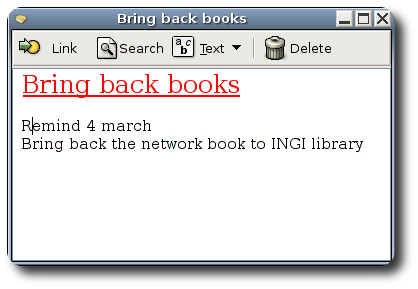
Sample reminder
There not much to see here, but here is a sample reminder, it will pop up the note on 4 march
Download
Requirements
The latest version of the plugin requires:
- tomboy-0.3.2 or higher
- dbus-0.23.4 or higher if tomboy is compiled with dbus support (previous version make tomboy crash when using plugins)(note that this plugin doesn’t use dbus)
Gentoo Ebuilds
There is a Gentoo ebuild available in the gentoo bugzilla, one day it will be merged in portage
Pre-compiled .dll
You can download a pre-compiled dll file of the plugin to be placed in the plugin directory. The link points to the latest version available.
2006-03-12 v0.9
- Add support for ‘today’ date, add highlighting in note when the date/time is valid and active
- tomboy-reminder-0.9.tar.gz
2005-05-11 v0.8
- Builds with newest mono, and new Russian translation.
- tomboy-reminder-0.8.tar.gz
2005-05-11 v0.7
- Builds with tomboy 0.3.2 only ,using their pkg-config handling. No fixes or new features.
- tomboy-reminder-0.7.tar.gz
2005-04-13 v0.6
- Repairs a Bug when adding then removing and readding a date on the same note the event would fire anyway.
- Also fixed a GLib timout handling problem leading to crash, hopefully !
- tomboy-reminder-0.6.tar.gz
2005-04-11 v0.5
- Set the note visible on top of other windows (not only bolded in the taskbar) when a reminder triggers.
- Support for date and time. Both 12 and 24-hour format recognized. If a time is specified the note shows at that time, if a date only is specified the note pops-up every 30 min that day starting at 00:00, and if both date and time are set, the note show at that date and time once.
- Updated README to reflect changes
- Thanks to Yehoshua Sapir (yasapir gmail) for the time handling idea and code
- tomboy-reminder-0.5.tar.gz
2005-04-10 v0.4
- Uses Glib.Timeout instead of ThreadNotify, less crash-prone, i hope
- Wait before the initial scan of tomboy notes, should prevent the blank note problem that appeared sometimes..
- tomboy-reminder-0.4.tar.gz
2005/03/04 v0.3
- Removed the yellow popup, now the reminder shows the tomboy note window itself, so one can edit and view the note when reminded.
- When closing a note that has a reminder for today, it reappears 1 hour later the same day (snooze)
- Various fixes, notably the window closed should now be correct (it isn’t closed, it’s hidden !)
- DBus 0.23.2 is needed to make tomboy plugins work correctly !
- tomboy-reminder-0.3.tar.gz
2005/02/05 v0.2
- Changed the update method. Now scans at startup and at note closing.
- Improved date matching, dates like “next monday” are recognized
- Added a new reminder marker “remind date” or “alert date”
- French date matching support “mardi prochain” or “rappel date” or “!24 décembre”
- tomboy-reminder-0.2.tar.gz (contains source and .dll plugin)
2005/02/02 v0.1
- Initial release
- tomboy-reminder-0.1.tar.gz
Build and Install
With the 0.3 version comes an automake setup:
- Simply run the automake thing, as usual:
./configure; make; make installit should automatically detect the tomboy installation dir and put the plugin in it. - Once this is done, you can either copy manually the plugin from the tomboy plugins directory to ‘~/.tomboy/Plugins/’ or use the builtin interface in tomboy menu
- Restart tomboy, and enjoy
For distribution maintainers: If there is something wrong about the script, please let me know !
Using the tomboy-reminder (README)
You can read the README file containing further information on the use of tomboy


Leave a Reply
You must be logged in to post a comment.